Endless Scrolling
Hunting through hundreds of screenshots to find that one important note.
Stop emailing screenshots to yourself. Capture ideas instantly with on-device AI, and turn your camera roll into an actionable inbox.
Free to use. No account required.
See The Speed
Snaplater turns screenshot into a task before you can open Notes.

Snap Driven Tasks. Turn screenshots into to-dos instantly.
You snap a Slack message, a tweet, or a design inspiration thinking, "I'll deal with this later." But "later" never comes. Your photos get buried, and ideas get lost.
Hunting through hundreds of screenshots to find that one important note.
Manually typing out text from images or emailing screenshots to yourself.
Brilliant insights and action items forgotten in your camera roll.
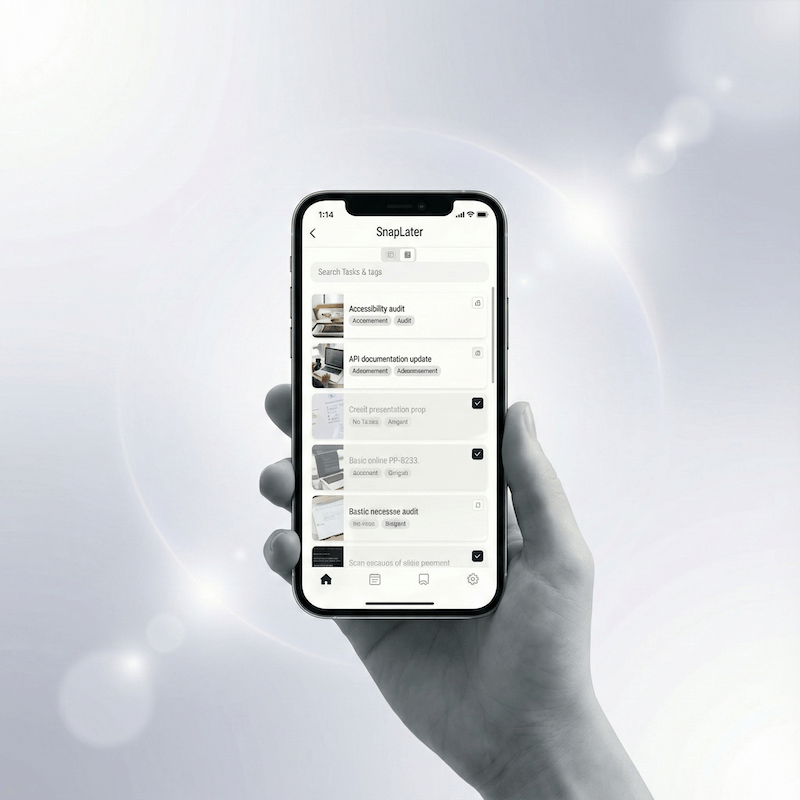
Take a screenshot on your phone. That's it. No special app needed for capturing—just use your phone's native screenshot function.
Snaplater detects new screenshots and extracts text with on-device OCR. Works with Japanese, English, and Chinese. No internet required for text recognition. Pro version can use AI to summarize and auto title it.
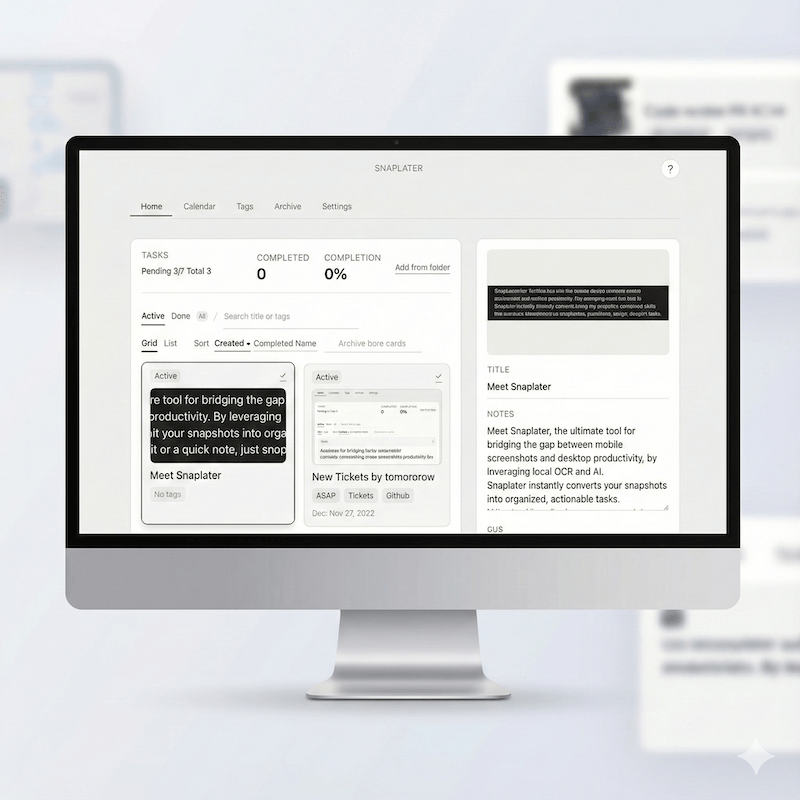
Your screenshots become searchable, taggable tasks. Filter by tags, mark as done, or archive. Never lose an idea again.
Spot yourself in these capture-friendly workflows—everyday moments where Snaplater shines.
Extract date & location. Instantly OCR the date and venue straight into your calendar.
Copy text instantly. Copy guest Wi-Fi codes and share them before anyone asks twice.
Save inspiration to your second brain. Send highlights directly into your second brain without retyping.
Add to shopping list. Drop screenshots of must-buy items into your shopping list instantly.
Your screenshots stay on your device. AI runs locally. No cloud uploads required.
Text recognition happens entirely on your phone. Fast, private, and works offline. Your screenshots never leave your device for OCR.
Accurate text extraction for Japanese, English, and Chinese. Perfect for bilingual workflows and international content.
Opt into AI-powered tag suggestions for better organization. Only extracted text is sent—never your raw images.
Unlock cross-device sync and advanced features.
Manage your tasks on a full keyboard setup. Desktop app available for Windows and Mac.
Capture on your phone, tackle it on your desktop. Seamless sync keeps everything in one place.
No limits on AI-powered tag suggestions. Let AI organize your screenshots automatically.
Desktop is currently in Alpha. Early testers welcome.
A note from the maker
"As a developer, I was frustrated with emailing screenshots to myself. I wanted a tool that respected my workflow and didn't rely on cloudy servers for simple text recognition. I'm building Snaplater as an indie hacker. Your feedback shapes the product."
Download now and turn your next screenshot into a task.
Free to use. No account required.
